




How to Create Printable Coloring Pages with AI

by Shalwa
Coloring books are a billion-dollar category on Amazon KDP, and the creators earning the most from them have never picked up a pencil. They use AI coloring page generators — tools that turn a short text prompt or a snapshot of a pet into clean, print-ready line art in under a minute.
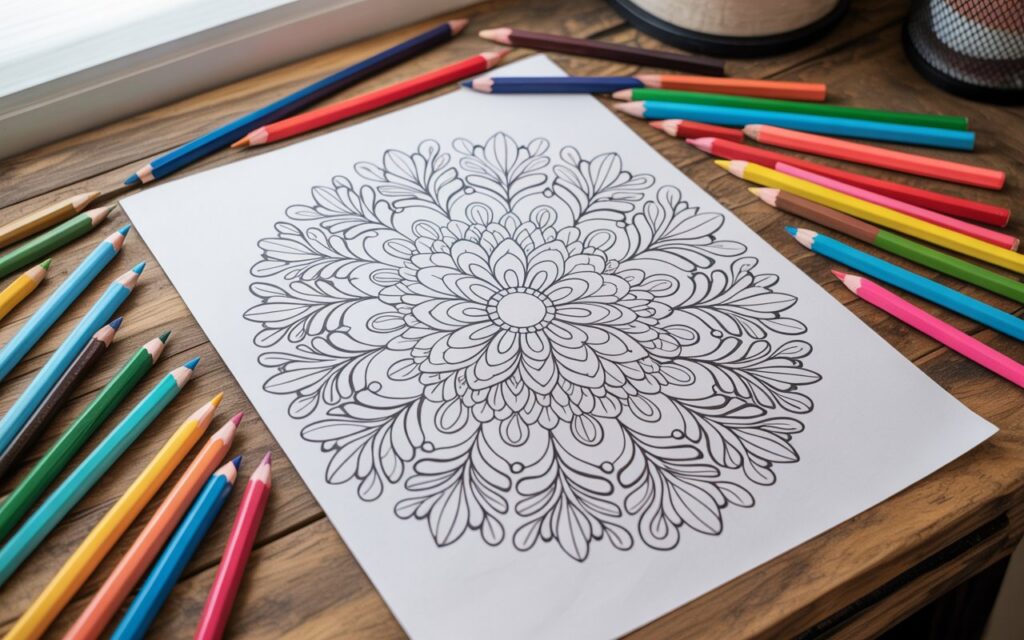
The catch? Most people generate muddy outlines full of gray shading that look terrible when printed. Getting crisp, colorable line art requires the right tool settings, the right prompts, and the right export workflow. This guide breaks down the entire process — from picking a generator to uploading a finished 50-page coloring book to KDP — so every page comes out sharp enough to sell or hand to a classroom full of kids.
to content ↑What Is an AI Coloring Page Generator?
An AI coloring page generator is a tool that uses machine learning to convert photos, sketches, or text descriptions into clean black-and-white outline drawings formatted for printing and coloring. The technology handles edge detection, shading removal, and line refinement automatically — tasks that previously required manual tracing in illustration software.
1. Understanding AI-Powered Coloring Page Tools
AI coloring page generators are software applications that use machine learning and computer vision to transform images, sketches, and text descriptions into clean line-art coloring pages. These tools analyze input content and automatically convert complex shading, colors, and textures into simplified outlines suitable for printing and coloring. The technology recognizes edges, contours, and shapes within images, translating them into vector-like line work that maintains clarity at any print size.
The underlying AI models have been trained on millions of images to understand artistic composition, subject matter, and line weight optimization. When users provide input—whether a photograph, hand-drawn sketch, or detailed text prompt—the AI applies its learned patterns to generate appropriate outlines. Modern generators process images in seconds, making it possible to create batches of designs rapidly.
2. Converting Photos and Sketches Into Printable Outlines
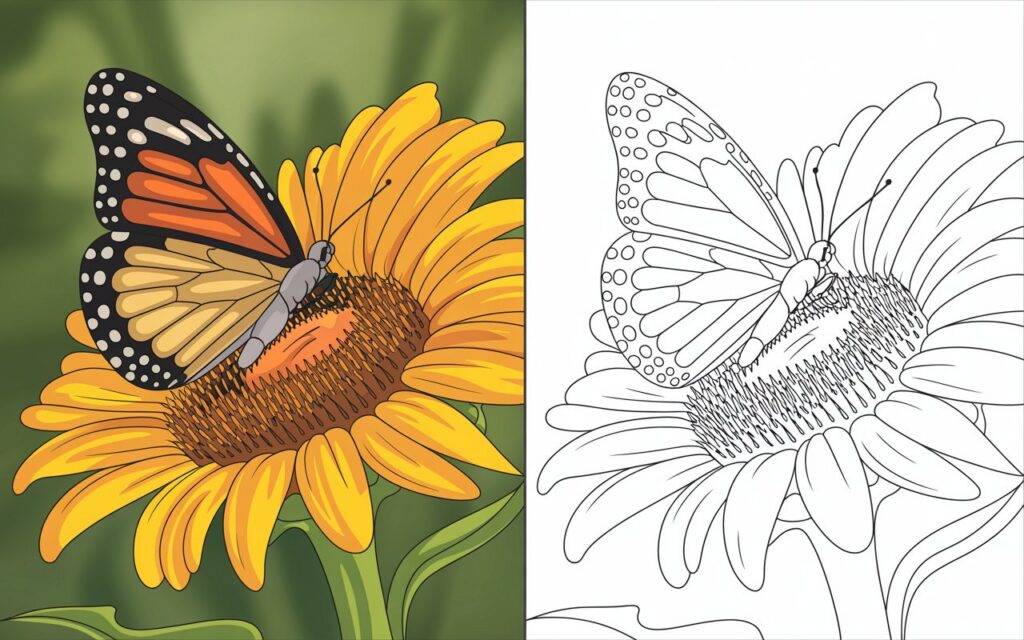
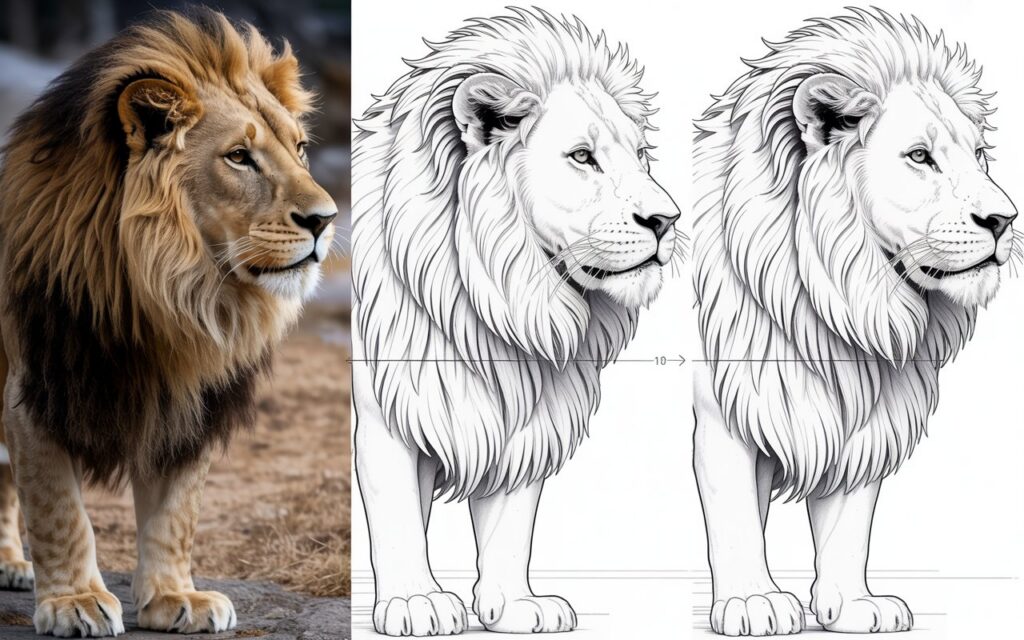
Photo-to-coloring-page conversion represents one of the most practical applications of AI image processing. The technology analyzes a photograph's composition, identifies key subjects and backgrounds, and strips away unnecessary details while preserving important features for coloring. Advanced tools distinguish between foreground and background elements, allowing selective outline generation that focuses on the main subject.
When converting sketches, AI recognizes both finished drawings and rough hand-drawn concepts, enhancing them with appropriate line weights and ensuring consistent stroke quality. This capability enables creators to sketch ideas quickly, then use AI to refine them into publication-ready designs. The resulting outlines maintain the original artistic intent while achieving the clean aesthetic necessary for coloring books.
3. Types of Coloring Pages Generated by AI
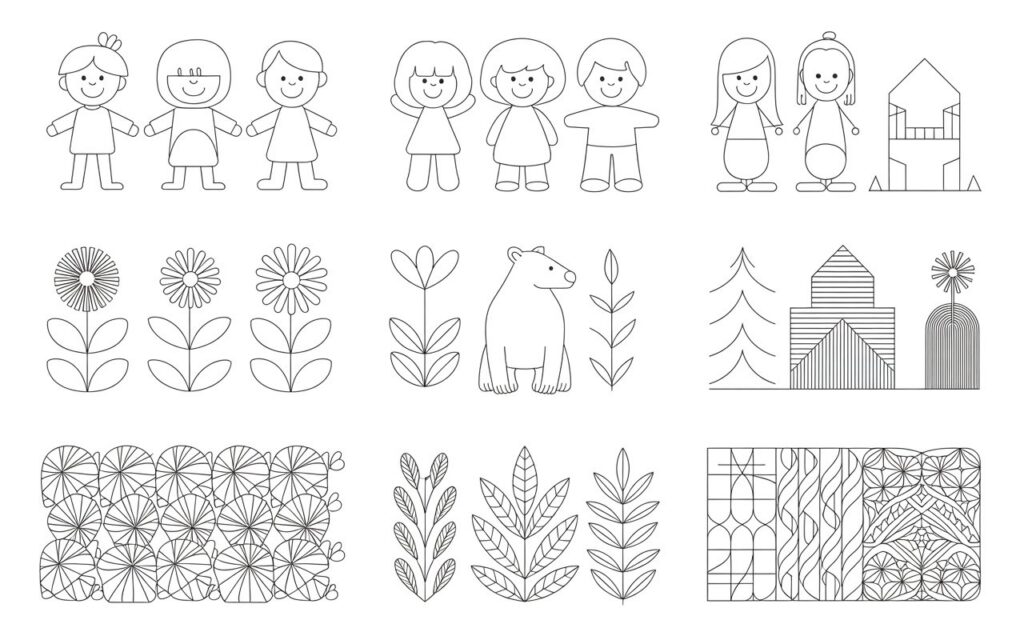
AI coloring page generators produce diverse designs across multiple categories. Line-art style pages feature simple outlines ideal for all ages, while intricate mandala designs appeal to adults seeking detailed meditative coloring. Animal coloring pages represent a popular category with options ranging from domestic pets to exotic wildlife. Seasonal and holiday designs, nature scenes, fantasy illustrations, and character-based content round out the typical offerings.
Advanced generators create themed collections based on text descriptions, enabling users to specify custom content. For educators, learning-themed pages incorporating letters, numbers, or educational concepts serve dual purposes of entertainment and instruction. Commercial publishers benefit from genre-specific generation—creating entire comic-book style series, historical figure collections, or professional illustration catalogs with consistent aesthetic quality across all pages.
to content ↑Key Features to Look for in AI Coloring Page Tools
Not every AI image generator produces output that works as a coloring page. The difference between a usable page and a frustrating one comes down to a handful of specific capabilities. These are the features that separate tools built for coloring content from general-purpose image generators.
1. Clean, Professional Line Output
The quality of generated outlines directly impacts the final coloring experience. Superior tools produce crisp, consistent lines with appropriate weight variation that guides users' coloring naturally without appearing too rigid or too sketchy. Professional line output requires sophisticated edge-detection algorithms and refinement processes that eliminate noise while preserving fine details necessary for complex designs.
Clean output means lines don't bleed or appear jagged when printed, and connection points between line segments are seamless. The best generators maintain consistent stroke width throughout designs while varying thickness strategically to emphasize different elements. This attention to line quality prevents frustration during coloring—thick lines that trap color, thin lines that disappear on print, or inconsistent stroke quality all detract from the experience.
2. Photo-to-Outline Conversion Accuracy
Converting photorealistic images into functional coloring pages requires sophisticated understanding of visual hierarchies and subject recognition. Leading tools maintain accurate representation of subjects while intelligently simplifying complex backgrounds. The conversion process should handle various lighting conditions, image qualities, and subject types without requiring extensive manual adjustment afterward.
Accuracy in this context means the generated outline remains visually recognizable and contextually appropriate. A tool that converts a portrait photo should preserve facial features in recognizable proportion, a landscape image should maintain spatial relationships, and complex scenes should show intelligent prioritization of important elements. Learn more about advanced image conversion techniques with AI-powered sketch-to-image conversion.
3. Print and Export Quality Options
Professional coloring page creation demands export formats suitable for commercial printing. Look for tools offering PDF, PNG, and SVG export options with customizable DPI settings for various print sizes. SVG exports provide scalable vector files that maintain quality at any size, essential for publishers offering both digital downloads and physical books.
Export functionality should include adjustable resolution (minimum 300 DPI for professional printing), page size options, and batch export capabilities. Tools supporting CMYK color mode for commercial printing and ICC profile embedding demonstrate commitment to professional publishing standards. These technical specifications ensure generated pages meet requirements for platforms like Amazon KDP, Etsy, and professional print houses.
4. Batch Generation and Bulk Processing
Creating entire coloring books efficiently requires bulk processing capabilities. Premium tools support uploading multiple images or prompts simultaneously, applying consistent settings across batches, and downloading complete collections at once. Batch processing reduces time spent on repetitive tasks, making it feasible to generate 50, 100, or even 1,000+ coloring pages for commercial projects.
Advanced batch features include applying style templates, adjusting complexity levels consistently, and maintaining naming conventions automatically. For publishers producing multiple books simultaneously or educators preparing classroom collections, batch generation separates viable tools from hobby-level solutions. Understanding how to write effective AI prompts helps ensure batch quality across all generated designs—explore effective AI prompt writing techniques.
5. Customization and Style Control
Different projects demand different aesthetics. Effective coloring page generators offer controls for line complexity, style variation, and output customization. Some projects need simple bold outlines for young children, while others require intricate details for adult coloring books. Tools providing presets for different age groups, complexity levels, and artistic styles enable creators to match output to intended audiences precisely.
Style controls might include options for manga-style outlines, realistic line work, cartoon aesthetics, or abstract designs. The ability to emphasize or de-emphasize certain elements, adjust detail levels, and apply thematic styling without fully regenerating designs saves time and ensures consistency across project collections.
Top AI Tools for Creating Printable Coloring Pages
Several platforms now offer dedicated coloring page generation, but they vary widely in output quality, export options, and pricing. The tools below were evaluated on line clarity, batch capability, print-readiness, and ease of use for both beginners and commercial publishers.
1. ArtSmart
ArtSmart combines advanced photo-to-outline conversion with text-to-image generation and batch processing, making it a complete coloring page production platform. The AI handles subject recognition, shading removal, and line weight optimization automatically — and exports arrive ready for KDP or Etsy without additional formatting.
| Category | Details |
|---|---|
| Key Features | Advanced photo-to-outline conversion with subject recognition, batch processing for hundreds of pages, multiple export formats (PDF, PNG, SVG) at 300+ DPI |
| Pros | Exceptional line quality and consistency, most reliable photo conversion accuracy, comprehensive batch processing saves production time |
| Cons | Premium pricing, steeper learning curve than one-click tools, requires subscription commitment |
| Best For | Professional publishers, KDP authors, Etsy sellers prioritizing output quality at scale |
2. Colorin AI
Colorin AI is a dedicated coloring book platform — no general-purpose image generation, just coloring page conversion and publishing. Upload a photo or enter a prompt, pick a style, and the tool handles the rest including direct upload to KDP.
| Category | Details |
|---|---|
| Key Features | Dedicated coloring book workflow, automatic background separation, direct upload to publishing platforms |
| Pros | Extremely user-friendly interface, free tier for testing, fast processing times |
| Cons | Limited customization, export quality below premium tools, fewer style presets |
| Best For | Hobbyists, casual creators, educators wanting quick one-click solutions |
3. iColoring AI
iColoring AI targets sellers specifically — the platform bundles coloring page generation with Etsy integration, social media previews, and watermarking so creators can go from prompt to listed product without switching tools.
| Category | Details |
|---|---|
| Key Features | Text-to-coloring and photo conversion, Etsy integration for direct selling, social media preview generation |
| Pros | Built-in marketplace integration, social media marketing tools, competitive flexible pricing |
| Cons | Marketplace dependency, variable line quality across input types, limited design customization |
| Best For | Etsy sellers, independent publishers, small business owners selling digital downloads |
4. ColoringBook AI
ColoringBook AI leans heavily on pre-built templates and themed collections. Pick a category (animals, mandalas, holidays), click generate, and the tool produces pages matching that theme with consistent styling — minimal prompt writing required.
| Category | Details |
|---|---|
| Key Features | Pre-built theme and template libraries, one-click generation from templates, batch design across multiple pages |
| Pros | Fastest generation times, templates eliminate design decisions, budget-friendly pricing |
| Cons | Limited originality with templates, less sophisticated photo conversion, restricted creative flexibility |
| Best For | Budget-conscious creators, educators needing themed collections, beginners wanting fast results |
5. Colorify AI
Colorify AI bridges printed and digital coloring by generating static pages and interactive digital coloring experiences. Creators can sell both physical books and iPad/Android coloring apps from the same designs.
| Category | Details |
|---|---|
| Key Features | Static page generation plus interactive digital coloring, mobile app integration, built-in monetization through app sales |
| Pros | Dual print and digital functionality, interactive features for engaging experiences, built-in monetization options |
| Cons | Print quality secondary to digital features, steeper learning curve, more expensive than print-only tools |
| Best For | App developers, tech-focused creators, entrepreneurs selling digital coloring products |
6. DZINE AI
DZINE AI is a general-purpose AI design suite that includes coloring page generation alongside other tools like image enhancement, style transfer, and team collaboration. Coloring pages are one feature among many rather than the core focus.
| Category | Details |
|---|---|
| Key Features | Multi-purpose AI design suite, team collaboration features, API access for developer integrations |
| Pros | Versatile platform beyond coloring pages, team collaboration support, API enables custom workflows |
| Cons | Overkill for simple coloring page creation, steeper learning curve, coloring features not primary focus |
| Best For | Professional designers, agencies managing multiple design projects, developers needing API access |
7. AI Coloring Page Tools Comparison Table
| Tool | Line Quality | Ease of Use | Batch Processing | Export Quality | Price | Best For |
|---|---|---|---|---|---|---|
| ArtSmart | Excellent | Good | Yes | 300+ DPI | Premium | Professional publishers |
| Colorin AI | Good | Excellent | Yes | 200+ DPI | Budget | Casual creators |
| iColoring AI | Good | Good | Yes | 250+ DPI | Moderate | Etsy sellers |
| ColoringBook AI | Good | Excellent | Yes | 200+ DPI | Budget | Template users |
| Colorify AI | Good | Good | Limited | 200+ DPI | Premium | App developers |
| DZINE AI | Good | Fair | Yes | 300+ DPI | Premium | Professional designers |
8. How ArtSmart Powers AI Coloring Page Creation
ArtSmart distinguishes itself through superior AI algorithms trained specifically on artistic line work and coloring design principles. The platform's advanced neural networks analyze image composition, identify relevant details worth preserving, and intelligently simplify backgrounds—all critical for creating engaging coloring pages. ArtSmart's AI understands not just visual content but specifically how line art functions as a tool for creative coloring activities.
The platform's technical infrastructure enables rapid processing without sacrificing quality. High-resolution source images process quickly while maintaining fine details necessary for intricate designs. ArtSmart's integration with commercial platforms like Amazon KDP means generated files arrive ready for publication without additional preparation—a significant advantage for professional creators. The ability to preview results before batch processing entire collections prevents wasted time on unsuitable generations, and advanced users can leverage custom prompts with LoRA techniques in image generation for highly specific design styles.
Step-by-Step Guide to Creating AI Coloring Pages
The workflow below covers the full process from raw input to a finished, print-ready coloring page. Each step includes specific settings and tips that prevent the most common mistakes — gray shading, pixelated prints, and broken outlines.
1. Prepare Your Source Material
Successful coloring page generation starts with high-quality source material. For photo-based creation, use clear, well-lit images with good contrast and distinct subjects. Avoid overly complex photographs with competing visual elements—simpler compositions convert to cleaner coloring pages. Photos should be at least 1000x1000 pixels, though higher resolutions allow generating larger prints without quality loss.
Hand-drawn sketches work exceptionally well for coloring page conversion. Simple pencil drawings, ink sketches, or digital line art all convert cleanly without requiring as much simplification as photorealistic images. For text-based generation, research how to create detailed, specific descriptions that guide AI image generation toward desired results—understanding effective AI prompt techniques dramatically improves generation quality.
2. Choose Your Generation Method
Decide whether to convert existing images, generate from text prompts, or combine both approaches. Photo conversion suits projects with existing visual assets—family photos become personalized coloring pages, products create commercial designs, and nature scenes develop into themed collections. Text-based generation offers unlimited creative freedom for original designs without requiring source imagery.
Many creators use hybrid approaches: generate AI images from detailed prompts, then convert those generated images to coloring pages. This method combines AI's creative capabilities with specialized coloring page optimization. Consider your project's needs, available assets, and timeline when selecting generation methods.
3. Configure Generation Settings
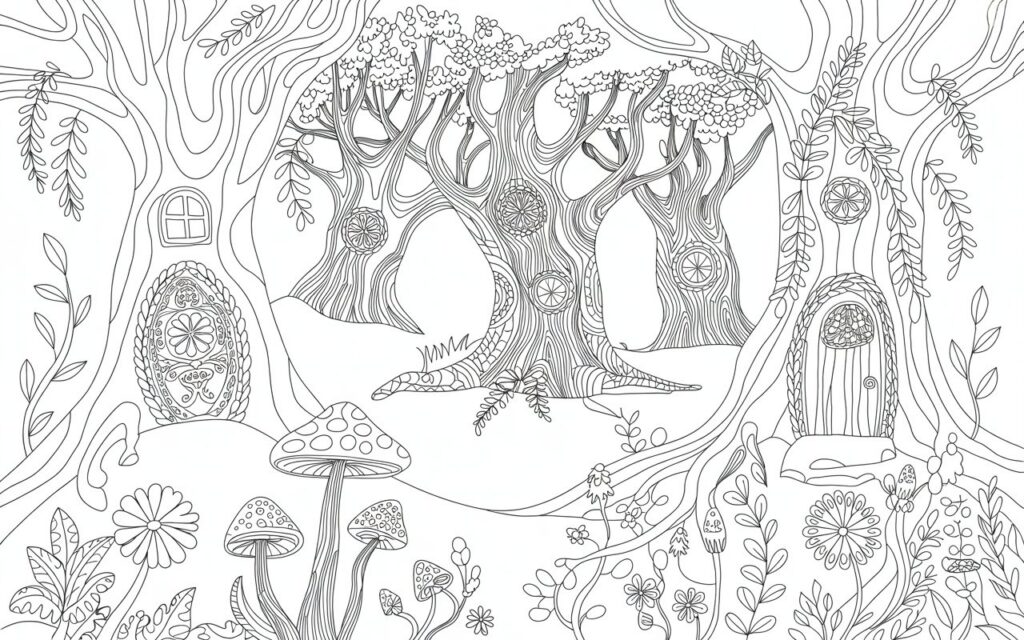
Most quality tools provide customization options for controlling output characteristics. Complexity settings determine line density and detail levels—low complexity creates bold, simple pages suitable for young children, while high complexity produces intricate designs for advanced coloring audiences. Line weight controls affect the visual prominence of outlines, with heavier weights creating more defined sections and thinner lines enabling more detailed work.
Style presets affect the final aesthetic—cartoon styles produce playful designs, realistic settings create more serious artwork, and artistic styles mimic different drawing traditions. Select settings matching your intended audience and project theme. For batch projects, consistent settings across multiple images maintain aesthetic coherence throughout coloring books.
| 💡 Pro Tip: Include the phrase "clean black outlines on pure white background, no shading, no gray tones, coloring book style" in every prompt. This negative-prompt technique consistently produces cleaner line art across all AI generators. |
4. Generate and Preview Results
Upload source material or prompts and initiate generation, then carefully review results before finalizing. Most tools allow preview inspection where you examine line quality, composition, and overall appearance. Look for excessive line noise that might frustrate users, missing details important for design recognition, or over-simplified elements that lose essential character.
If results need adjustment, modify settings and regenerate rather than accepting suboptimal output. Most quality tools process quickly enough that iterative refinement remains practical. For batch projects, preview a selection of results across different source types to ensure consistent quality and appropriateness across the collection. Understanding negative prompts in AI generation helps refine results by excluding unwanted elements.
5. Export in Appropriate Formats
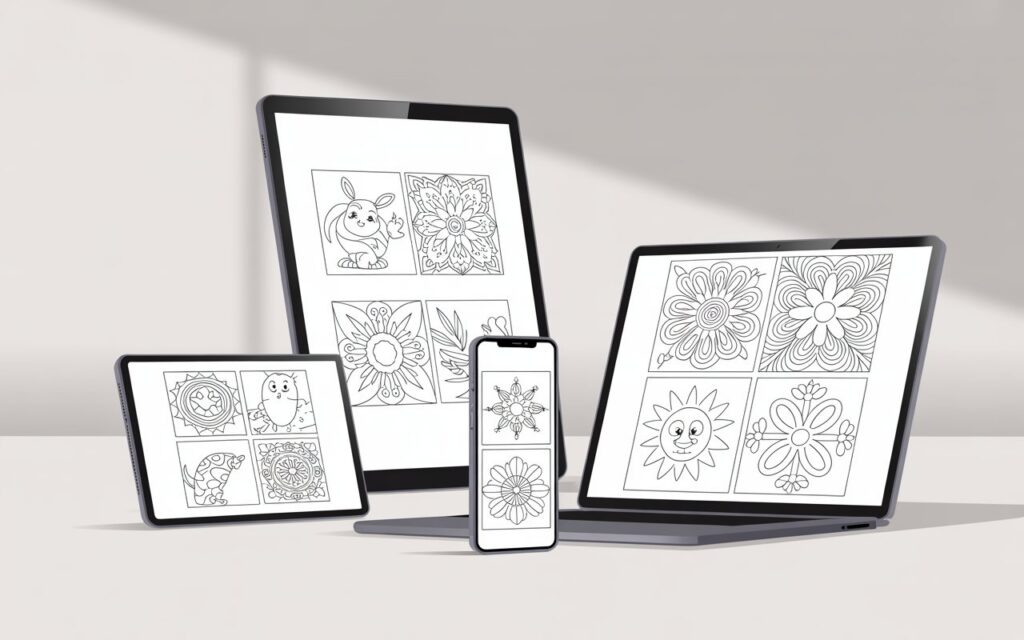
Export generated pages in formats matching your distribution method. PNG files work well for digital downloads and sharing, offering good compression without quality loss at specified resolutions. PDF format suits printing and direct distribution, often supporting page templates and multiple pages per file. SVG exports provide infinitely scalable vector files, ideal for printing at any size without quality degradation.
Ensure export resolution meets requirements—300 DPI minimum for professional printing, 150 DPI acceptable for digital-only use. Batch export functionality saves time when processing hundreds or thousands of pages. Properly formatted exports prevent printing issues, ensure consistent appearance across different output methods, and enable direct upload to publishing platforms without additional processing.
6. Prepare for Distribution or Publication
Before releasing coloring pages to audiences, verify technical specifications meet platform requirements. Amazon KDP, Etsy, and print-on-demand services each specify resolution, file format, and color space requirements. Convert files to appropriate color spaces (grayscale for black-and-white coloring pages, RGB for digital delivery) and verify dimensions match intended print sizes.
Create cover designs, add titles and page numbers, and compile collections into properly formatted books. Many tools integrate directly with publishing platforms, allowing direct upload of completed projects. Ensure generated content aligns with platform policies regarding AI-generated content—most platforms now permit AI-created coloring pages provided they're disclosed and not infringing on copyrights. Learn more about legal aspects of selling AI-generated art.
to content ↑Best Practices for Print-Ready Coloring Pages
Generating a coloring page that looks good on screen is only half the job. Printing exposes every flaw — faint lines vanish, gray tones turn muddy, and low-resolution files pixelate at standard book sizes. These practices ensure every page holds up from screen to paper.
1. Resolution and DPI Requirements
Professional printing demands 300 DPI (dots per inch) minimum for crisp, high-quality output. This specification applies whether printing through traditional services, Amazon KDP, IngramSpark, or independent print shops. Lower resolution files appear pixelated or blurry in print, creating poor customer experiences and damaging professional reputation.
Calculate required file dimensions for intended print sizes: an 8x10 inch print requires 2400x3000 pixels at 300 DPI. For digital distribution only, 150-200 DPI suffices, allowing smaller file sizes and faster downloads. Upscaling low-resolution images to achieve 300 DPI produces inferior results—generate at full resolution initially rather than attempting enhancement afterward. For existing images requiring enhancement, specialized DPI increase techniques can help, though generation at correct resolution from the start remains preferable.
2. Line Weight and Stroke Consistency
Professional coloring pages maintain consistent line weights throughout designs, providing visual coherence and guiding users' coloring naturally. Consistent strokes also prevent printing complications—too-thin lines disappear during printing while excessively thick lines trap excess color and create muddy appearance.
Optimal line weight typically ranges from 0.75 to 1.5 points, varying strategically to emphasize different elements and create visual hierarchy. Primary subject outlines may be slightly heavier than background details, guiding attention and creating more engaging compositions. Quality tools automatically optimize line weight based on complexity settings and style selections, but preview generation before finalizing to ensure appropriate results.
| 💡 Did You Know: Amazon KDP accepts AI-generated coloring books as long as the content is original and not infringing on existing copyrights. Many KDP publishers now generate 50+ page coloring books in a single afternoon using AI tools — a process that previously required weeks of manual illustration. |
3. Avoiding Excessive Shading and Complex Fills
Coloring page design fundamentally differs from illustration—pages should present clear outlines for coloring rather than completed artwork. Avoid generation settings producing gradients, extensive shading, or fill patterns that leave little space for creative coloring. The purpose of coloring pages is enabling users to apply colors themselves; pre-shaded areas eliminate this interactive opportunity.
Request clean line art specifically, using lowest shading settings available in your generation tool. If source images contain complex lighting, simplify before conversion or request background removal to focus on main subjects. This approach keeps files smaller, reduces printing costs, and maintains the essential aesthetic of traditional coloring pages—clean outlines and open spaces inviting creative color application.
4. Ensuring Consistent Page Layout and Sizing
Professional coloring books maintain consistent page dimensions and layout throughout. All pages should identical size and orientation, typically 8.5x11 inches (letter) or custom sizes matching platform requirements. Inconsistent page sizes cause printing errors and create unprofessional appearance when compiled into books.
Establish consistent margins ensuring designs don't extend to page edges where they might be cut off during printing. Leave minimum 0.25-inch margins on all sides, accounting for printer bleed areas. Batch processing tools should apply consistent settings across all pages, automatically handling size and margin standardization.
5. Color Space and Black-and-White Conversion
Coloring pages must convert properly to grayscale for printing. Even if source images contain color, generated outlines should appear as solid black on white backgrounds—no grays, colors, or tones that complicate coloring. Export in CMYK color space for professional printing services or grayscale for standard printing.
Test color conversion by viewing exported files in print-preview mode before uploading to publishing platforms. Inadequate black levels appear muddy in print, while poorly converted colors create confusing gray areas users struggle to navigate. Quality generation tools handle this automatically, but verification prevents expensive printing errors.
to content ↑Use Cases for AI Coloring Pages
AI coloring page generators serve a surprisingly wide range of industries and use cases beyond hobby publishing. The speed and low cost of generation make coloring content viable for applications that were previously too expensive to justify hiring an illustrator.
1. Amazon KDP Self-Publishing
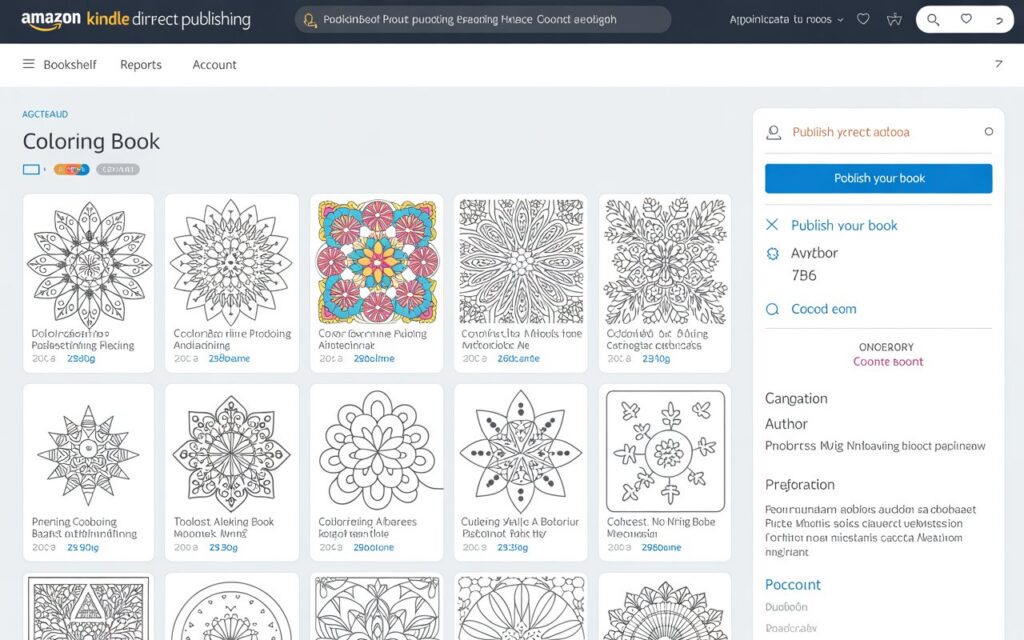
Amazon Kindle Direct Publishing enables independent authors to publish and sell coloring books with minimal upfront investment. KDP handles printing, shipping, and sales management, allowing creators to focus on design and marketing. Coloring books represent one of KDP's strongest-performing categories, with consistent buyer demand and competitive royalty rates.
AI-generated coloring pages dramatically reduce production timelines for KDP publishers. What might require months of manual design can now be completed in weeks or days. Publishers can test multiple designs quickly, identify top performers, and rapidly scale successful concepts. Successful KDP publishers often maintain extensive catalogs with hundreds of variations, a scale made practical through AI generation. Explore monetization strategies for AI-generated content.
2. Etsy Digital Downloads
Etsy's digital downloads market provides another lucrative distribution channel for coloring pages. Buyers purchase instant-download PDF files, eliminating printing and shipping requirements. This model offers superior margins compared to print-on-demand since production costs approach zero after initial generation.
Successful Etsy sellers create themed collections appealing to specific audiences—holiday coloring pages, educational designs for homeschooling parents, anxiety-relief adult coloring, pet-themed pages, and specialized hobby interests. AI generation enables rapid creation of comprehensive collections targeting niche markets. Multiple variations of similar designs cater to diverse preferences, increasing sellability and average customer purchase value.
3. Educational Classroom Materials
Educators integrate coloring pages into lesson plans across multiple disciplines. Science classes use anatomical or biological illustrations, history classes feature historical figures and events, language arts incorporate story-based designs, and art classes use coloring as foundational skill development. AI generation enables teachers to create custom materials matching specific curriculum requirements instantly.
Custom coloring pages incorporating educational content—labeled diagrams, vocabulary words, historical information—combine creativity with learning objectives. Teachers can batch-generate materials for entire classrooms, create differentiated activities for diverse learning levels, and tailor content to their specific student populations. This personalization increases student engagement and improves learning outcomes compared to generic printed materials.
4. Therapeutic and Wellness Applications
Mental health professionals and wellness practitioners incorporate coloring into therapeutic protocols. Coloring's meditative qualities reduce anxiety, improve focus, and provide healthy emotional outlets. Therapists create personalized designs supporting individual client goals—anxiety-relief mandalas, mindfulness prompts, positive affirmations integrated into designs, and emotion-recognition themed pages.
Wellness centers and therapy practices distribute custom coloring pages to clients, reinforcing therapeutic messages and extending treatment benefits beyond sessions. Digital distribution enables convenient access, and printed collections provide tactile experiences supporting therapeutic objectives. The ability to generate unlimited personalized pages at minimal cost makes AI tools invaluable for practitioners.
5. Children's Party and Event Planning
Event planners and party coordinators use coloring pages as activity centerpieces for children's celebrations. Custom designs featuring birthday honorees, party themes, character preferences, and age-appropriate complexity levels create memorable personalized experiences. Print quantities required for party settings become economical through on-demand printing services.
Event businesses can batch-generate libraries of themed designs serving diverse client preferences—superhero parties, princess celebrations, dinosaur adventures, sports themes—creating competitive advantages and customer differentiation. The ability to customize designs for individual clients at minimal additional cost enables premium pricing for personalized services.
6. Corporate Branded Content
Companies use branded coloring pages for marketing, customer engagement, and internal communications. Pharmaceutical companies create health-focused designs supporting patient education, toy companies produce branded content driving brand awareness among young audiences, and retail businesses distribute designs creating positive brand associations.
Custom branded coloring pages featuring company logos, product imagery, and branded messaging create professional marketing materials at fraction of design agency costs. Batch generation enables large-scale distribution across multiple markets and demographics, supporting sophisticated marketing strategies with traditional creative appeal.
Who Should Use AI Coloring Page Generators
AI coloring page tools are not limited to illustrators or publishers. Anyone who needs custom line art on a deadline — or on a budget — can benefit from these generators. Here are the groups getting the most value from them in 2026.
1. Educators and Learning Professionals
Teachers at all levels benefit from instant access to custom educational materials. Rather than searching for generic resources matching specific curriculum standards, educators create personalized content aligned precisely with lesson objectives. Homeschooling parents appreciate the ability to generate supplemental materials supporting individual student learning needs without expensive curriculum purchases.
Special education professionals create differentiated materials accommodating diverse learning styles and abilities. Therapists supporting behavioral or developmental challenges generate targeted designs addressing specific therapeutic goals. The ability to create unlimited custom content without specialized design skills democratizes educational material production, empowering educators to enhance instruction through custom creative resources.
2. Self-Published Authors and KDP Publishers
KDP success requires consistent content production and rapid market testing. AI coloring page generation enables authors to maintain extensive active catalogs, test variations quickly, and scale successful designs across multiple markets. Self-publishers competing against established publishers gain competitive advantages through faster production cycles and more extensive offerings.
Low per-unit production costs enable pricing strategies capturing market share from traditional publishers while maintaining healthy margins. Authors can target niche markets profitably that wouldn't justify expensive traditional design services. The ability to generate hundreds or thousands of variations enables sophisticated market segmentation and customer targeting impossible with manual design approaches.
3. Parents and Home-Based Content Creators
Parents seeking educational and entertainment materials for children access quality designs instantly without purchasing expensive coloring books or relying on limited free online resources. Homeschooling families create comprehensive material libraries supporting entire curricula. Parents interested in supplementing traditional education with personalized content achieve this economically through AI generation.
Home-based entrepreneurs launch small businesses selling customized coloring designs without requiring design expertise or expensive startup costs. Parents already managing household finances recognize opportunities to generate supplemental income through creative digital products. This accessibility enables diverse individuals to participate in content creation markets previously requiring significant technical or artistic skills.
4. Mental Health and Wellness Practitioners
Therapists, counselors, and wellness coaches integrate custom coloring resources into their practices cost-effectively. Rather than purchasing generic workbooks or creating materials manually, practitioners generate personalized designs supporting individual client goals. This customization strengthens therapeutic relationships and demonstrates commitment to individualized care.
Corporate wellness programs distribute custom coloring content supporting employee mental health initiatives. Healthcare facilities create patient engagement materials supporting recovery and stress reduction. Mental health organizations develop resources supporting community wellness programming. The accessibility of custom generation enables rapid expansion of therapeutic offerings without proportional cost increases.
5. Ecommerce Sellers and Entrepreneurs
Etsy sellers competing in digital downloads and print-on-demand markets benefit significantly from rapid content generation. Niche market specialists targeting specific demographics—pet lovers, craft enthusiasts, hobby communities, lifestyle segments—create extensive product libraries quickly. Successful sellers use AI generation to create variations appealing to diverse customer preferences, increasing conversion rates and average order values.
Entrepreneurs experimenting with product concepts test market demand economically through AI-generated prototypes before committing significant resources. Quick iteration based on customer feedback enables rapid market optimization and scaling of successful concepts. The low barrier to entry and minimal upfront investment democratize entrepreneurship, enabling diverse individuals to launch creative businesses.
6. Marketing and Communications Professionals
Corporate marketing teams create branded content supporting diverse campaigns and customer segments. In-house generation capability eliminates dependency on external design agencies, accelerating campaign deployment and reducing costs. Custom branded materials featuring company identity and messaging create stronger customer engagement than generic licensed content.
Social media managers generate fresh content supporting diverse platform strategies and audience segments. Community managers create engagement materials supporting member interaction and retention. Marketing professionals without design expertise become content creators, democratizing the ability to produce professional-quality materials supporting marketing objectives.
to content ↑Final Thoughts
AI coloring page generators have removed the biggest barrier to coloring book publishing — the illustration itself. The tools covered above handle line art, shading removal, and print formatting automatically, leaving creators free to focus on themes, audience research, and marketing. ArtSmart offers the strongest combination of generation quality and commercial publishing support for creators ready to turn coloring pages into a revenue stream.
FAQ
1. Can I sell AI-generated coloring pages commercially?
Yes. Amazon KDP, Etsy, and most print-on-demand services permit AI-created content as long as it is original and does not infringe existing copyrights. Some platforms require disclosure that content was AI-generated, so check individual policies before publishing. For comprehensive guidance, explore legal considerations around selling AI-generated art.
2. What resolution do I need for printing coloring pages?
Professional printing requires 300 DPI minimum. An 8×10 inch print needs 2400×3000 pixels at that density. Digital-only distribution (PDF downloads, iPad coloring apps) can use 150–200 DPI for smaller file sizes and faster downloads.
3. How long does it take to generate a coloring page?
Most tools produce a single page in 30 seconds to 2 minutes depending on complexity settings and server load. Batch processing 50–100 pages takes longer but runs unattended. The real time investment is in reviewing and refining outputs, not waiting for generation.
4. Can I convert existing photos into coloring pages?
Yes — photo-to-outline conversion is one of the most common use cases. Clear, well-lit photos with distinct subjects and good contrast produce the best results. Busy backgrounds or low-contrast shots may need cropping or simplification before conversion.
5. What is the best way to make money from coloring pages?
The most common revenue channels are Amazon KDP for print-on-demand books, Etsy for digital PDF downloads, and licensing deals with larger publishers. Many successful creators combine multiple channels to diversify income. Learn more about money-making strategies with AI art.
to content ↑